
SUNMI D3 Pro
Sunmi D3 Pro – Android Desktop Terminal
The D3 PRO features a sleek aluminum body with a 15.6″ thin-bezel FHD screen. Its streamlined stand and base ensure clean cable management, enhancing both durability and style—consistent with all 3rd generation products.
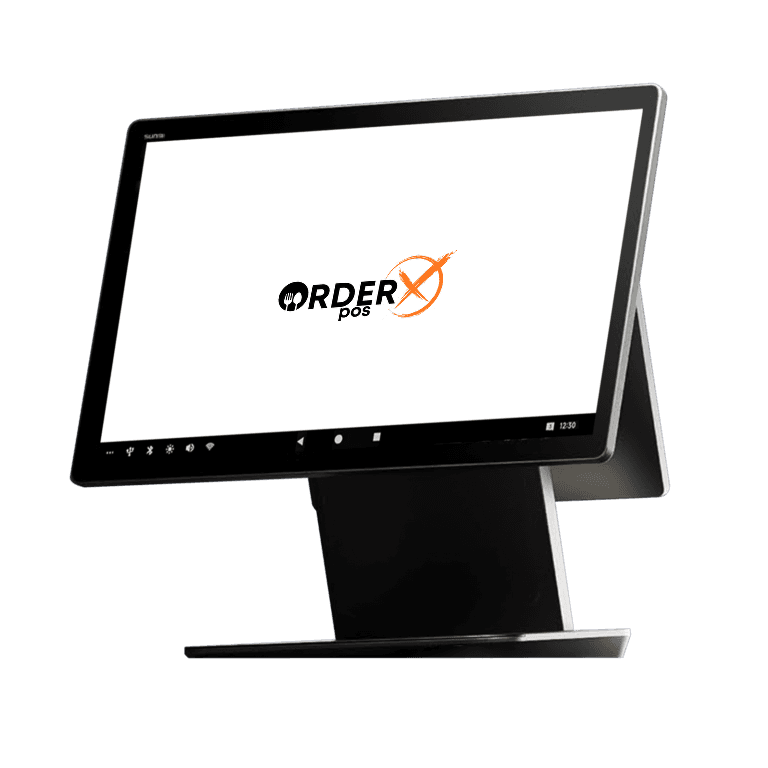
Highlights
Why choose the SUNMI D3 Pro
- Android 13 OS
- 15.6" touchscreen display
- NFC compatible
- 4G, Wi-Fi
- Fingerprint security feature
Features
SUNMI D3 Pro features
- Platforms
- Sunmi, Android 13 OS
- Mobile
- No
- P2PE
- Yes
- Connection
- 4G, Wi-Fi
- EMV
- Yes
- Signature Capture
- Yes (virtual)
- PIN Debit
- Yes
- Keypad
- Yes (with accessories)
- Standalone
- Yes
- PINpad
- Yes (with accessories)
- Semi-Integrated
- Yes
- Printer
- No
- Contactless
- Yes
Specifications
SUNMI D3 Pro specifications
| Product Model | F3510 |
|---|---|
| OS | SUNMI OS (based on Android 13) |
| Processor | Qualcomm hexa-core, up to 2.4GHz |
| Memory | 4GB RAM+64GB ROM |
| External Memory | 1*MicroSD (TF card) Up to 1TB supported |
| Display | 15.6″ FHD 1920*1080, 10-point capacitive touch screen |
| Speaker | 1*3W |
| Network | LAN 1000M |
| Wi-Fi | 2.4GHz & 5GHz IEEE 802.11 a/b/g/n/ac supported |
| Bluetooth | BT 5.0 BLE supported |
| Button | 1*Power button (Lock screen; Fingerprint recognition optional) |
| Power Adapter | Input: AC 100~240V/1.5A Output: DC 24V/1.5A/36W |
| Ports | 1*USB typeA 3.0 port, 2*USB typeA 2.0 port, 1*RJ11 serial port, 1*RJ12 cash drawer port, 1*RJ45 LAN port, 1*audio jack 1*power port, 1*USB typeC 2.0 port, 1*MicroUSB debug port |
| Weight | D3 PRO: 4.5kg 10.1″ separate monitor: 0.88kg |
| Environment | Operating temperature: 0°C~40°C, Storage temperature: -20°C~60°C |
| Indicator Light | Blue (Power) |
| Accessories | 10.1″ separate monitor, HD 1280*800 (NFC Tap on Glass optional) |
| Dimensions | 380mm*195mm*310mm(L*W*H) |
Have Any Questions?
SUNMI D3 Pro FAQs
What is the Sunmi D3 Pro used for?
The Sunmi D3 Pro is a desktop POS system designed for businesses like retail stores and restaurants. It handles transactions, customer interactions, and inventory management with its 15.6-inch Full HD touchscreen and optional 10-inch customer display.
What operating system does the Sunmi D3 Pro run on?
The Sunmi D3 Pro runs on Android 13. It also includes Google Mobile Services (GMS), ensuring compatibility with a wide range of apps and services.
How do I connect peripherals to the Sunmi D3 Pro?
The Sunmi D3 Pro offers multiple connectivity options. You can connect peripherals like barcode scanners, cash drawers, and printers using USB-A 3.0, USB-C 2.0, Wi-Fi 6, Bluetooth 5.0, Ethernet (RJ45), or the cash drawer port (RJ11/RJ12).
Does the Sunmi D3 Pro support contactless payments?
Yes, the Sunmi D3 Pro supports contactless payments. Its optional 10-inch customer display includes NFC Tap on Glass, allowing payments via credit cards, mobile wallets like Apple Pay, or other NFC-enabled methods.
How do I set up the Sunmi D3 Pro for my business?
To set up the Sunmi D3 Pro, plug it into power using the included adapter. Then, turn it on and follow the on-screen prompts to configure it. It supports plug-and-play, so no assembly is needed. For additional displays or peripherals, connect them via the appropriate ports.
OrderX POS Portfolio
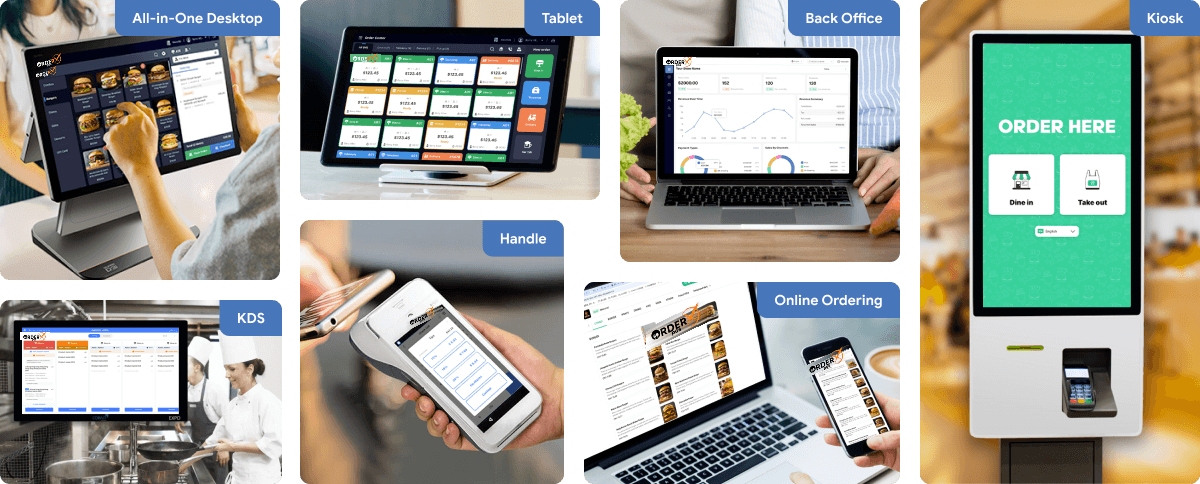
One software suite across every device
OrderX POS software portfolio including Desktop POS, Back office, Handheld APP, KIOSK APP, Online ordering system, KDS (Kitchen Display Screen) APP and etc.
Related devices
Ready to get started?