
PAX A800
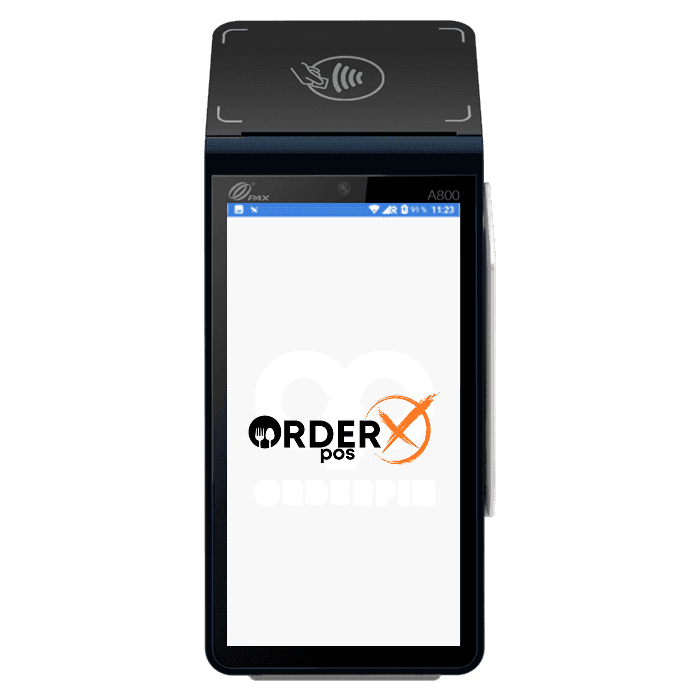
PAX A800 – Android Mobile Payment Terminal
The A800 delivers high performance and versatile functionality, working as both a countertop and mobile payment solution. When used on a countertop, it connects to the Internet via Ethernet through an optional hub, which also includes three USB ports for additional device connections. As a mobile device, an optional mini charging base ensures quick and efficient charging for frequent use. Powered by PAXBiz® on Android™ 10, the A800 provides access to a wide range of value-added applications and services, helping businesses streamline operations and enhance efficiency.
Highlights
Why choose the PAX A800
- Powered by Android 10
- 5.7” capacitive touchscreen
- Wifi + optional 4G & Bluetooth
- Optional 2MP front & 5MP rear cameras
- Optional 2300mAh, 7.2V battery
- Chip & PIN + NFC contactless + magnetic stripe
- PCI PTS 6.x SRED
Features
PAX A800 features
- Platforms
- PayConex, Decryptx
- Connection
- USB OTG, 4G, Ethernet (optional with HUB cable)
- P2PE
- Yes
- Communication
- Cellular (4G LTE), Dual-band Wi-Fi, Bluetooth 5.0, Ethernet (optional with HUB cable)
- EMV
- Yes
- Signature Capture
- Yes
- PIN Debit
- Yes
- Keypad
- Yes
- Standalone
- Yes
- PINpad
- Yes
- Semi-Integrated
- Yes
- Printer
- Yes
- Mobile
- Yes
- Contactless
- Yes
Specifications
PAX A800 specifications
| Functions | The PAX A800 is a versatile payment terminal that can function as both a countertop device and a mobile solution. It supports various payment methods, including EMV chip cards, magnetic stripe cards, and contactless payments such as Apple Pay and Google Wallet. The device also features a built-in thermal printer and laser scanner, making it suitable for retail and hospitality environments |
|---|---|
| Display | The terminal is equipped with a 5.7-inch capacitive multi-touch color touchscreen, providing a user-friendly interface for both merchants and customers |
| Communication Interface | The PAX A800 offers multiple communication options, including Wi-Fi (2.4GHz & 5GHz), 4G, and Bluetooth 5.0. An optional hub provides Ethernet connectivity and includes three USB ports for connecting additional devices. |
| Power & Battery | The device operates with an optional 2300mAh, 7.2V battery, ensuring reliable performance during mobile operations |
| Charging | For countertop use, the A800 can be connected to an optional hub that provides power and additional connectivity options. For mobile use, an optional mini charging base supports frequent on/off usage, facilitating quick and efficient charging |
| Battery Life | 12 Hours |
| Supported Operating Systems | The PAX A800 runs on PAXBiz® powered by Android™ 10, allowing access to a wide range of value-added applications and services to enhance business operations |
| Certification | The terminal holds several certifications, including PCI PTS 6.x SRED, EMV L1/L2, EMV CL L1, Mastercard contactless, Visa payWave, Amex, D-PAS, qUICS, Interac Flash, CE, FCC, IC, UL, and 3C |
| Dimensions | The physical dimensions of the PAX A800 are 188 mm in length, 66 mm in width, and 79 mm in height |
| Weight | 1.25 Pounds |
Have Any Questions?
PAX A800 FAQs
How do I power on and off the PAX A800?
To power on the PAX A800, press and hold the power button for 2 seconds until the screen lights up. To power off, press and hold the power button for 3 to 5 seconds until the shutdown menu appears, then select “Power off.”
How can I install or replace the SIM/SAM card and battery in the PAX A800?
Begin by removing the back cover. Insert the SIM or SAM card into the corresponding slot. For battery replacement, remove the battery cover at the bottom, unplug and remove the old battery, then insert and connect the new battery.
What are the key features of the PAX A800 terminal?
The PAX A800 is a stylish touch-screen desktop solution that combines Android technology with secure payment capabilities. It offers access to value-added applications and services, such as loyalty programs and in-store product management, enhancing business operations.
What type of thermal paper rolls are compatible with the PAX A800?
The PAX A800 uses 2 1/4″ x 50′ (58mm width x 36mm diameter) thermal paper rolls. These rolls are 48gsm, BPA-free, and feature a 1/2″ core size. They provide clear black images and include a red end-of-roll indicator.
What is the difference between an PAX A800 Android terminal and a traditional terminal?
Android terminals, like the PAX A800, operate on the Android OS and function similarly to tablets, supporting multiple applications for various uses. Traditional terminals are limited to payment processing applications only.
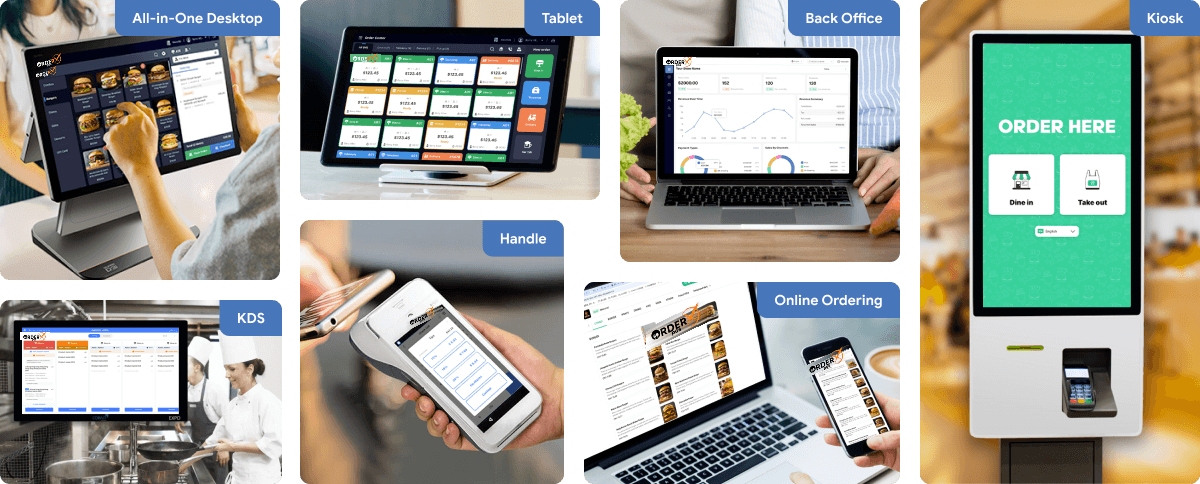
OrderX POS Portfolio
One software suite across every device
OrderX POS software portfolio including Desktop POS, Back office, Handheld APP, KIOSK APP, Online ordering system, KDS (Kitchen Display Screen) APP and etc.
Related devices
Ready to get started?