
PAX A920 PRO
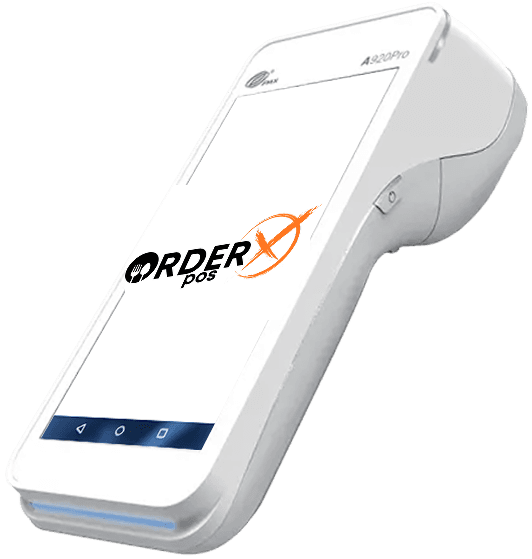
PAX A920 PRO – Android Mobile Payment Terminal
The A920Pro is built for diverse industries, including public transport, home delivery, queue busting, and petrol stations. With a fast processor and expanded memory, it seamlessly runs multiple applications at once. It efficiently handles table orders, payments, and loyalty programs—all fully integrated to support every payment method.
Highlights
Why choose the PAX A920 PRO
- Powered by Android 8.1 or 10
- Cortex A53 processor
- 5.5" capacitive touchscreen
- 4G + WiFi + Bluetooth
- Contactless + chip & PIN + magstripe
- PIN on glass technology
- 5MP front + 8MP rear camera
- Professional scanner
- 5150mAh / 3.7V long-lasting battery
- Fast-speed printer
- PCI PTS 5.x (Android 8.1) or 6.x (Android 10) SRED
Features
PAX A920 PRO features
- Platforms
- PayConex, Decryptx
- Mobile
- Yes
- P2PE
- Yes
- Connection
- Bluetooth, 4G, WiFi(WPA2)
- EMV
- Yes
- Signature Capture
- Yes
- PIN Debit
- Yes
- Keypad
- Yes
- Standalone
- Yes
- PINpad
- Yes
- Semi-Integrated
- No
- Printer
- Yes
- Contactless
- Yes
Specifications
PAX A920 PRO specifications
| Functions | Supports multiple payment methods: contactless, chip & PIN, and magstripes, Equipped with a high-speed thermal printer, Features a professional barcode scanner for efficient QR code and barcode reading, Includes a 5MP rear camera with autofocus and flash |
|---|---|
| Display | 5.5-inch capacitive touchscreen with a resolution of 720 x 1440 pixels |
| Communication Interface | 4G LTE + Dual-band Wi-Fi (2.4GHz, optional 5GHz) + Bluetooth 4.0 (optional 5.0) + Dual SIM support + 1 x Micro USB port |
| Power & Battery | 3.7V, 5150mAh Li-Ion battery |
| Charging | Supports charging via the Micro USB port. Optional charging bases: Charging Base, Multi-Functional Base, Wireless Base |
| Battery Life | 10 hours |
| Supported Operating Systems | Powered by Android 8.1 or 10 |
| Certification | PCI PTS 5.x SRED, EMV L1 & L2, EMV L1 Contactless, Visa payWave, Mastercard PayPass, American Express |
| Dimensions | Length: 7.02 inches (178.3 mm) x Width: 3.07 inches (78.0 mm) x Height: 2.13 inches (54.2 mm) |
| Weight | Approximately 11.3 oz (320 grams), including the battery |
Have Any Questions?
PAX A920 PRO FAQs
How do I install a SIM card in the PAX A920 Pro?
To install a SIM card, first power off the terminal. Turn the device over and slide the battery cover lock to the right. Remove the battery cover and lift out the battery. Insert the SIM card into the slot labeled “SIM1” with the diagonal corner facing the top left. Reinsert the battery, replace the cover, and lock it. Finally, power on the terminal by holding the power button for three seconds. The device should automatically detect the SIM card and configure network settings.
What is the difference between a Debug device and a Live device for the PAX A920 Pro?
A Debug device is intended for development purposes, allowing APK sideloading and file transfers via USB. In contrast, a Live device is designed for market deployment, with applications updated exclusively through PAXSTORE to ensure security and compliance.
How can I troubleshoot authentication problems on my PAX A920 Pro?
If you encounter authentication issues, first check that you have a stable internet connection. Verify that your login credentials are correct and ensure the device has the necessary permissions. If the problem persists, contact customer support for further assistance.
What should I do if the PAX A920 Pro's screen freezes during a firmware download?
If the screen freezes while downloading firmware, restart the device by holding the power button for several seconds. Ensure you have a stable internet connection before attempting the update again. If the issue continues, reach out to technical support for guidance.
How do I load paper into the PAX A920 Pro's printer?
To load paper, open the printer cover located at the top of the device. Insert the thermal paper roll with the paper feeding from the bottom. Close the cover securely, ensuring the paper feeds correctly to avoid printing issues.
OrderX POS Portfolio
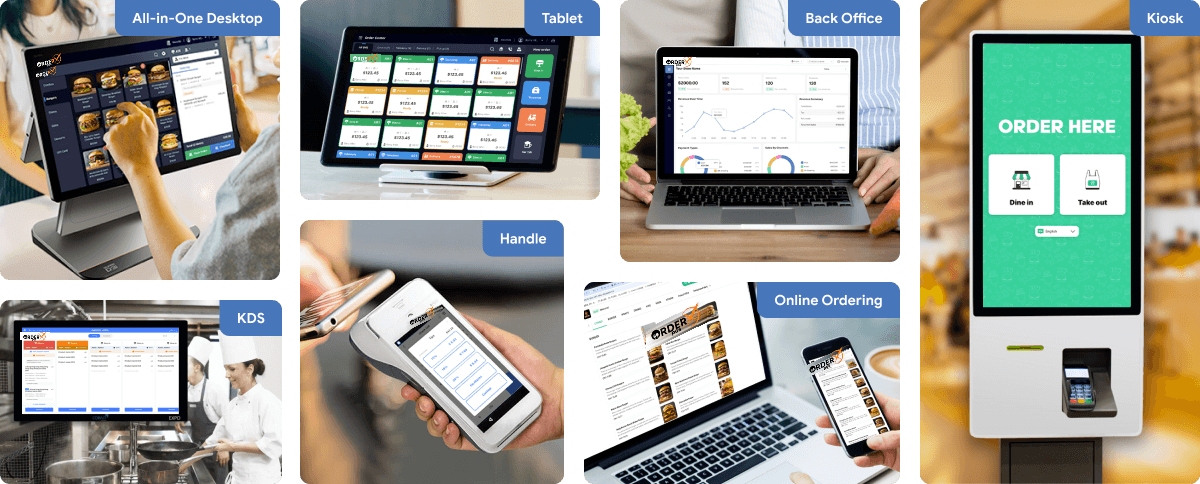
One software suite across every device
OrderX POS software portfolio including Desktop POS, Back office, Handheld APP, KIOSK APP, Online ordering system, KDS (Kitchen Display Screen) APP and etc.
Related devices
Ready to get started?